Samsung Galaxy AI: Intelligent Features for Communication, Search, and Everyday Productivity
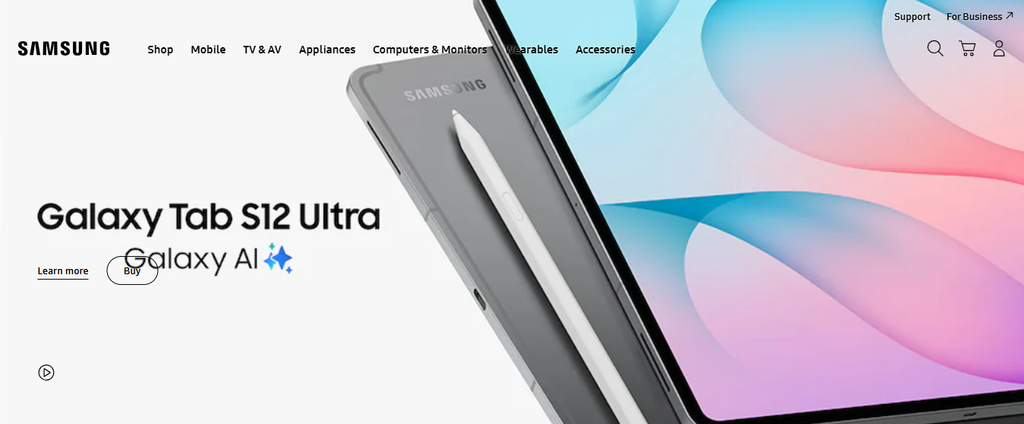
Samsung Galaxy AI is a collection of artificial intelligence features integrated into compatible Galaxy smartphones and tablets to assist with communication, information discovery, content creation, and everyday organisation. Rather than operating as a single standalone application, Galaxy AI appears across supported parts of the Samsung software environment, including the Phone app, Samsung Notes, Samsung Internet, Gallery, and selected system interfaces. Its purpose is to reduce the number of manual steps involved in common digital tasks, such as translating conversations, summarising lengthy notes, editing photographs, or finding information displayed on a screen. The experience combines Samsung-developed functions with capabilities provided by partners, including Google technologies, depending on the feature and device. This distinction is important because not every tool marketed as an AI capability uses the same technology or follows identical privacy and availability rules.
Samsung Galaxy AI and Its Connected Software Experience
Galaxy AI works through features embedded in compatible Samsung applications and interfaces, allowing users to access assistance without necessarily opening a separate AI chatbot. For example, writing tools can appear while composing supported messages, transcription features can operate on recorded audio, and image-editing assistance is available within the Gallery experience on eligible devices. This integration makes the platform relevant to people who already use Samsung’s software for everyday communication and organisation. Some functions rely primarily on processing performed directly on the device, while others may use cloud-based services or a combination of local and remote processing. The processing method depends on the individual feature, device, and settings. Samsung’s implementation has evolved alongside One UI, its Android-based interface, which delivers software updates and introduces changes to system-level experiences.
Samsung Circle to Search for Visual Information Discovery
Circle to Search is a search function developed by Google and available on supported Android devices, including compatible Samsung Galaxy models. It allows users to investigate content already visible on the screen without first taking a screenshot, opening a separate browser, and manually entering a description. Depending on the device and interface configuration, the feature can be activated through a supported navigation gesture, after which the user circles, highlights, or taps an item to initiate a search. Potential applications include identifying a product shown in a video, finding information about an unfamiliar landmark, exploring an object in a photograph, or looking up text encountered while browsing. Search results can provide related images, websites, shopping information, and other contextual material according to the query. Google has also expanded translation capabilities so that supported devices can translate content while users scroll through eligible material. These functions make on-screen discovery useful for shopping research, education, travel planning, and general browsing.
Samsung Galaxy AI for Writing, Notes, and Audio Transcription

Galaxy AI includes several tools designed to make written and spoken information easier to manage. Writing Assist can help users adjust the tone of supported text, check spelling and grammar, and translate messages in compatible applications. These functions may be useful when preparing a professional message, refining a short announcement, or communicating with someone who uses another supported language. Samsung Notes includes Note Assist, which can organise eligible notes, produce summaries, adjust formatting, and translate content. Transcription Assist can convert supported voice recordings into text and may offer translation or summarisation options, depending on the device and software version. These tools can reduce the effort involved in reviewing meeting notes, capturing lecture material, or locating important points in a long recording. Their usefulness depends on the clarity of the original audio, the language involved, the length of the content, and the feature’s specific limitations. Transcription errors can occur when speakers talk over one another, use specialised terminology, or speak in noisy surroundings..
Samsung Galaxy AI for Translation and Multilingual Communication
Samsung provides translation features intended to assist communication across supported languages. Live Translate can translate eligible phone calls in real time, presenting translated speech or text to help participants understand one another. Interpreter provides a separate conversation-oriented experience, using the device interface to display translations during face-to-face exchanges. Depending on the supported model and configuration, the interface may present the original and translated conversation in separate sections of the screen. These tools can be relevant during international travel, multilingual meetings, everyday conversations, or situations in which a user needs help understanding a language they do not speak fluently. Writing Assist can extend similar support to certain text-based interactions by translating messages or suggesting alternative wording. The availability of individual languages varies by feature, and not every language combination is necessarily supported. Users should also distinguish between speech translation, text translation, and interpretation features because they may operate differently and have different requirements.
Samsung Galaxy AI Image Editing and Creative Tools
Galaxy AI extends beyond communication into photography and creative work. Generative photo editing on supported devices can help users reposition or remove selected objects, resize elements, and reconstruct portions of an image to accommodate an edit. Related editing suggestions can identify opportunities to improve photographs through available adjustments, while selected models offer creative tools for generating stylised images from text descriptions, photographs, or sketches. These capabilities provide additional options for people who want to refine travel pictures, prepare social media content, create wallpapers, or experiment with visual concepts directly on a mobile device. Their integration into the Gallery and related interfaces can reduce the need to transfer an image to a separate editing application for every small change. However, generative editing differs from conventional cropping, colour correction, or sharpening because it can create new visual details rather than merely adjust existing pixels. The resulting image may therefore contain AI-generated content that was not present in the original photograph.
Samsung Galaxy AI Compatibility, Privacy, and Access Requirements

Access to Galaxy AI depends on a combination of device eligibility, software updates, regional availability, language support, and individual feature requirements. Samsung introduced the platform with the Galaxy S24 series and later extended selected functions to additional Galaxy S, Z, A, and Tab models. However, a device appearing on a compatibility list does not necessarily support every Galaxy AI feature. Older or less powerful models may receive a reduced selection, and certain capabilities may remain exclusive to particular hardware or newer software releases. Users can check for updates through the Software Update section of Settings and consult Samsung’s support page for the current model-specific list. Privacy is another important consideration because AI features may process personal messages, photographs, recordings, and other content. Samsung provides controls governing certain processing preferences, including options related to online data processing where supported. The available controls and their effect depend on the feature and software version; selecting on-device processing where available may limit access to some cloud-dependent capabilities.
Samsung Galaxy AI Developments Across the Galaxy Ecosystem
Samsung continues to develop Galaxy AI as part of a wider software and connected-device strategy. Recent software releases have expanded the range of supported devices and introduced additional ways to access contextual information, creative tools, and personalised assistance. Samsung’s September 2026 announcement about One UI 9 described an expansion of the latest Galaxy experience to additional devices, beginning with the Galaxy S26 series. The company also highlighted newer AI-assisted functions for video framing and everyday information management. Separately, Samsung’s 2026 demonstrations of its broader ecosystem have connected AI experiences with Galaxy smartphones, tablets, earbuds, watches, and Galaxy Book computers, although the capabilities available on each product category differ. This direction suggests that Galaxy AI is being developed as a collection of experiences spanning multiple devices rather than as a feature limited to phone photography or text generation.